Recurring Billing Automation and Recognition

FieldHub’s powerful Recurring Billing and Receivables Automation feature is designed to simplify and streamline your billing process, saving you time and effort while ensuring accurate and timely payments. Our platform automates recurring billing, including charging credit cards or ACH on file, and provides flexible billing frequencies to suit your business needs and customer preferences.

Automated Recurring Billing

FieldHub automates your recurring billing process, including charging credit cards or ACH on file, eliminating the need for manual invoicing and reducing the risk of errors. Our platform ensures that your customers are billed accurately and on time, every time.

Flexible Billing Frequencies

Choose the billing frequency that best fits your business model and customer needs. FieldHub supports monthly, quarterly, semi-annual, and annual billing cycles, giving you the flexibility to adapt to various service agreements and customer preferences.

Seamless Revenue Recognition

FieldHub automatically calculates and records revenue recognition and deferred recurring revenue in the general ledger and respective reporting. This ensures that your financial records are always accurate and up-to-date, providing you with a clear picture of your business's financial health.

Intelligent Pro-Rating for New RMR

When new recurring monthly revenue (RMR) is added, FieldHub automatically pro-rates the billing, aligning service start dates with billing cycle dates. This intelligent pro-rating feature ensures that your customers are billed fairly and accurately, enhancing their overall satisfaction with your services.

Zero-Touch RMR Billing

FieldHub automates the entire billing and collection process, eliminating the need for batch processes. Our platform automatically sends email reminders, electronic statements, and even physical invoices and statements through our integrated USPS mailing partners, ensuring that your customers receive timely and professional communications.

Recurring Period Details

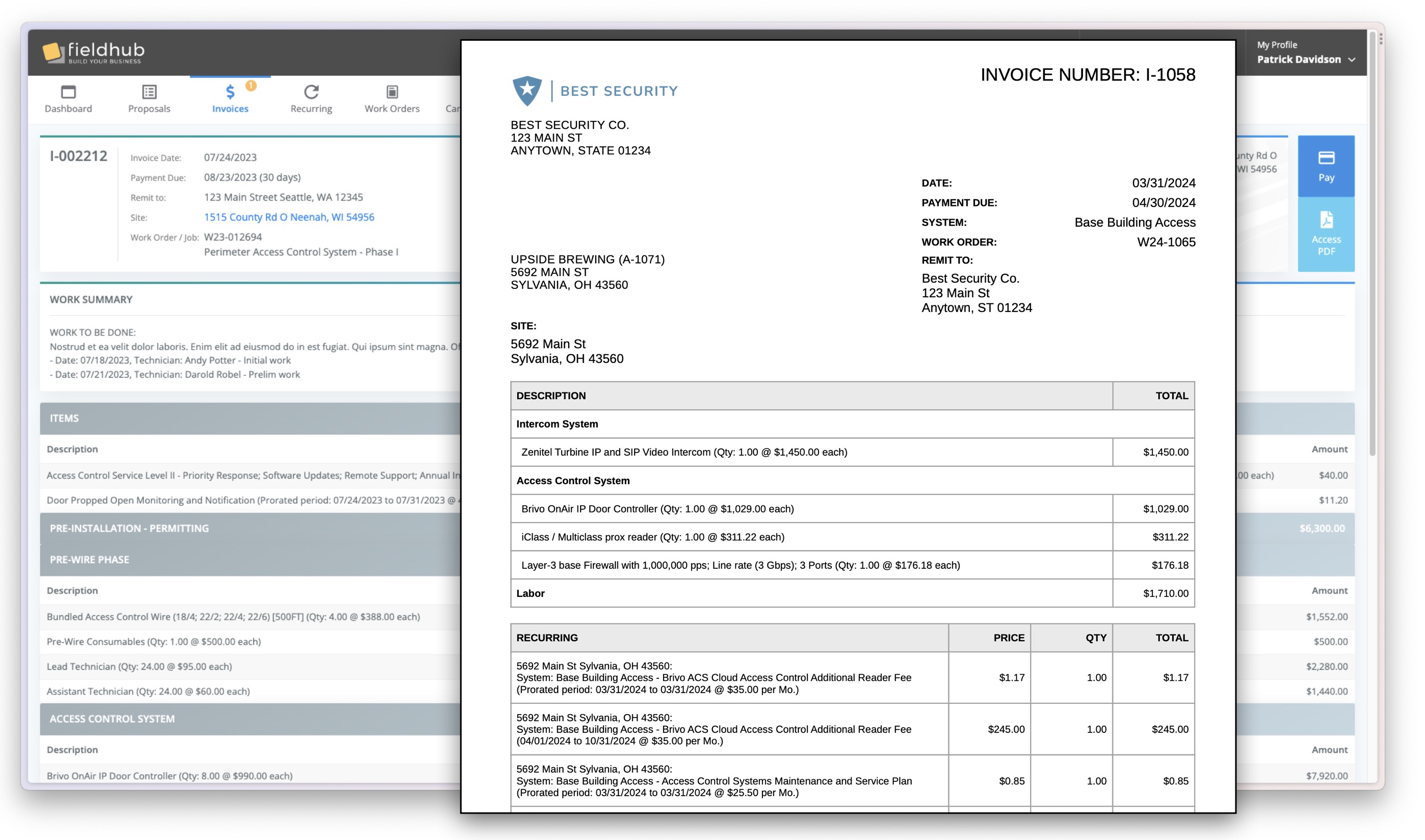
Provide detailed monthly costs and time periods for each RMR invoice line item, ensuring that customers have a clear understanding of recurring pricing and the period they are paying for, whether it be monthly, quarterly, or annually. This detailed information provides transparency, reduces support inquiries, and improves customer payment times.

Common Questions

RMR Billing Automation FAQs

How do alarm companies automate RMR billing? +
With FieldHub, recurring invoices are generated automatically on each account’s billing cycle — no batch runs to kick off. Cards or ACH on file are charged automatically, email reminders and electronic statements go out on schedule, and physical invoices can be mailed through FieldHub’s integrated USPS mailing partners. Every invoice posts directly to the built-in general ledger, so billing and accounting never drift apart.
How does proration work when new RMR is added mid-cycle? +
FieldHub automatically pro-rates new recurring revenue, aligning the service start date with the account’s billing cycle. Customers are billed fairly for the partial period, and the schedule falls into step with the normal cycle from the next invoice on — no manual proration math.
How does FieldHub recognize deferred RMR revenue? +
When you bill ahead — quarterly, semi-annually, or annually — FieldHub automatically calculates deferred revenue and recognizes it in the general ledger period by period. Recognized and deferred balances stay accurate in your financial reporting without spreadsheets or month-end journal entries.
What billing frequencies does FieldHub support? +
Monthly, quarterly, semi-annual, and annual billing cycles, configurable per agreement. Each invoice line shows the recurring price and the exact period it covers, which cuts down billing questions and speeds up payment.
Can FieldHub charge credit cards and ACH automatically? +
Yes. FieldHub charges the card or bank account on file as part of the automated billing run and records the payment against the invoice and general ledger automatically. See how this fits into a full alarm company billing workflow on the alarm company software page.

Ready to dive in?
Schedule a free demo today.