features
The conditions of Spring 2020 have more of us working from home than the office. As we all face these new challenges, I wanted to share guidance to ease one part of that transition: best practices in the area of remote IP device configuration.
Urban Alarm - the security integrator business I started in 2008 and sold in 2017 - was built from the ground up, using distributed teams. In addition to accounting and HR functions being performed largely remotely, most of our system configuration was done overnight, using remote teams.
I am sharing this diagram on how we set up our remote configuration “bench” where office warehouse or technical staff would set up IP devices (e.g., servers, cameras, panels, etc) to be configured remotely.
Under the current circumstances during which social distancing is required, this set up has new value: to address team safety and health by minimizing the number of team members needed in the office. Senior engineers may work from home to manage both company and customer systems remotely, but also to pre-configure devices and thereby minimize hours in the office and on customer job sites.
The elements of this set up include:
The most advanced skill required to set up this configuration is configuring the “port based VLAN” on your network switch. This will be specific to your network switch, make, and model - but can be easily searched for. This example of for a Cisco 300 switch.
If we can be of assistance during this time of uncertainty – both to customers and non-customers – please let us know. We are more than ready to discuss this set up with your team, and share our other experiences in setting up and managing distributed teams in a security installer and integration business.
Wishing you and your loved ones the best,\
Miles Fawcett, CEO FieldHub
Cover Photo by Jacky Chiu on Unsplash
FieldHub MCP server · Limited release · Version 10.2.15
You can now ask FieldHub questions in plain language and get answers computed from your live data.
Connect Claude to your FieldHub account through a standard OAuth sign-in. No API keys, no configuration. Then ask.
MCP — Model Context Protocol — is an open standard for connecting AI assistants to systems. We built and tested against Claude first, including claude.ai connectors, Claude Code, and Claude Desktop. ChatGPT connectors are verified, and any MCP-compatible client can connect.
FieldHub, the all-in-one cloud platform for security, fire, and low-voltage integrators, is pleased to announce a new integration with fireNspec, the inspection management platform built for fire and life safety companies. The integration links inspection work to the rest of the business, so a customer or site entered in one system no longer has to be entered again in the other.
Most integrators run inspections and the business itself on different tools. The account lives in one place, the inspection lives in another, and staff spend time keying the same details into both and checking two systems to answer one question.
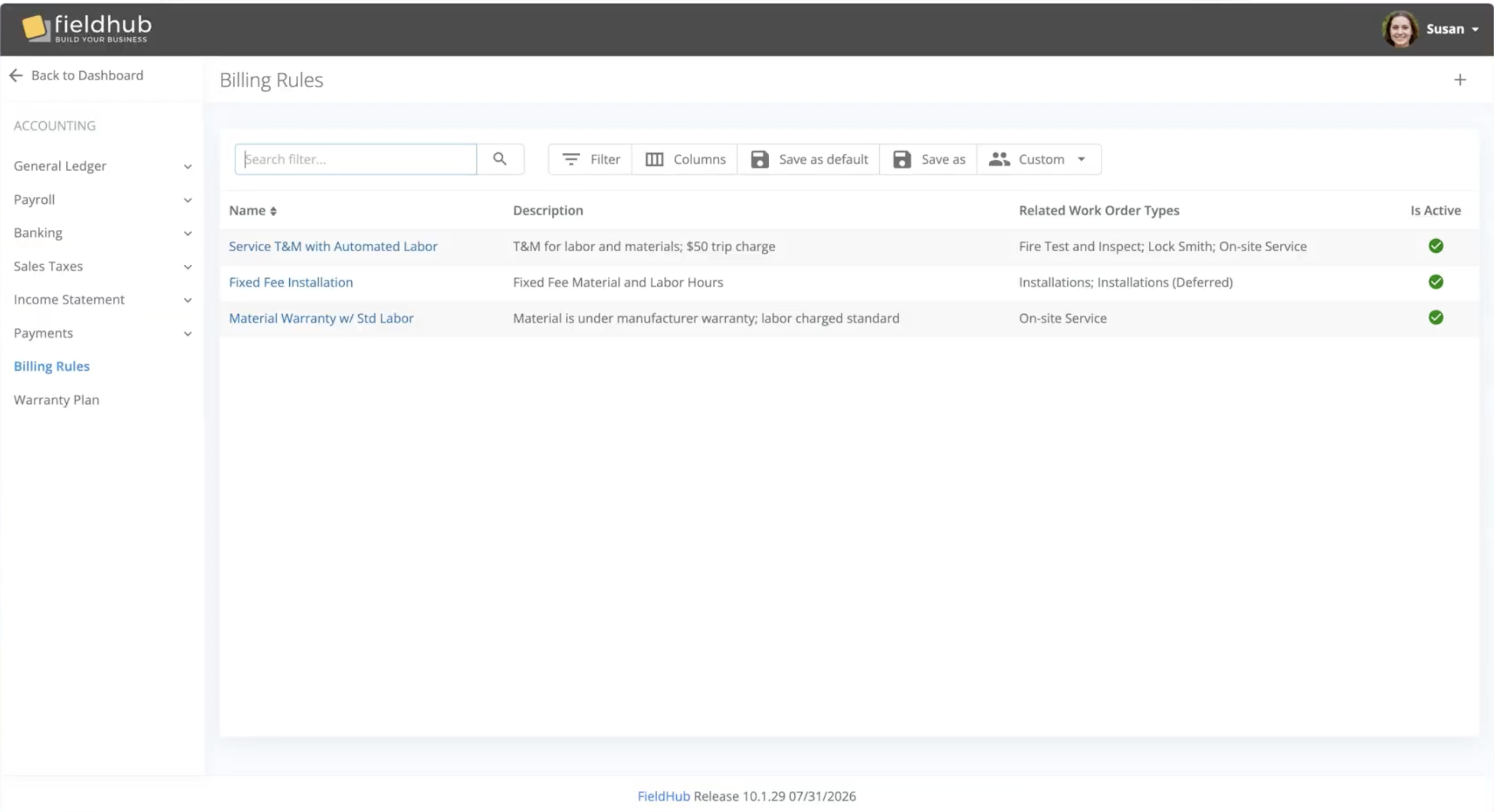
FieldHub has introduced Billing Rules, a new configuration engine that automates how labor, materials, and miscellaneous charges are priced and added to work order scope. Instead of a technician’s hours sitting as a gap to be filled in manually after every visit, Billing Rules writes the correct line — at the correct rate — into the work order the moment a work log is ready for invoicing.
Most platforms handle service pricing with static price books or a “service level” tag sitting off to the side of operations—a label that must still be manually translated into scope, line by line, by someone in the office.