features
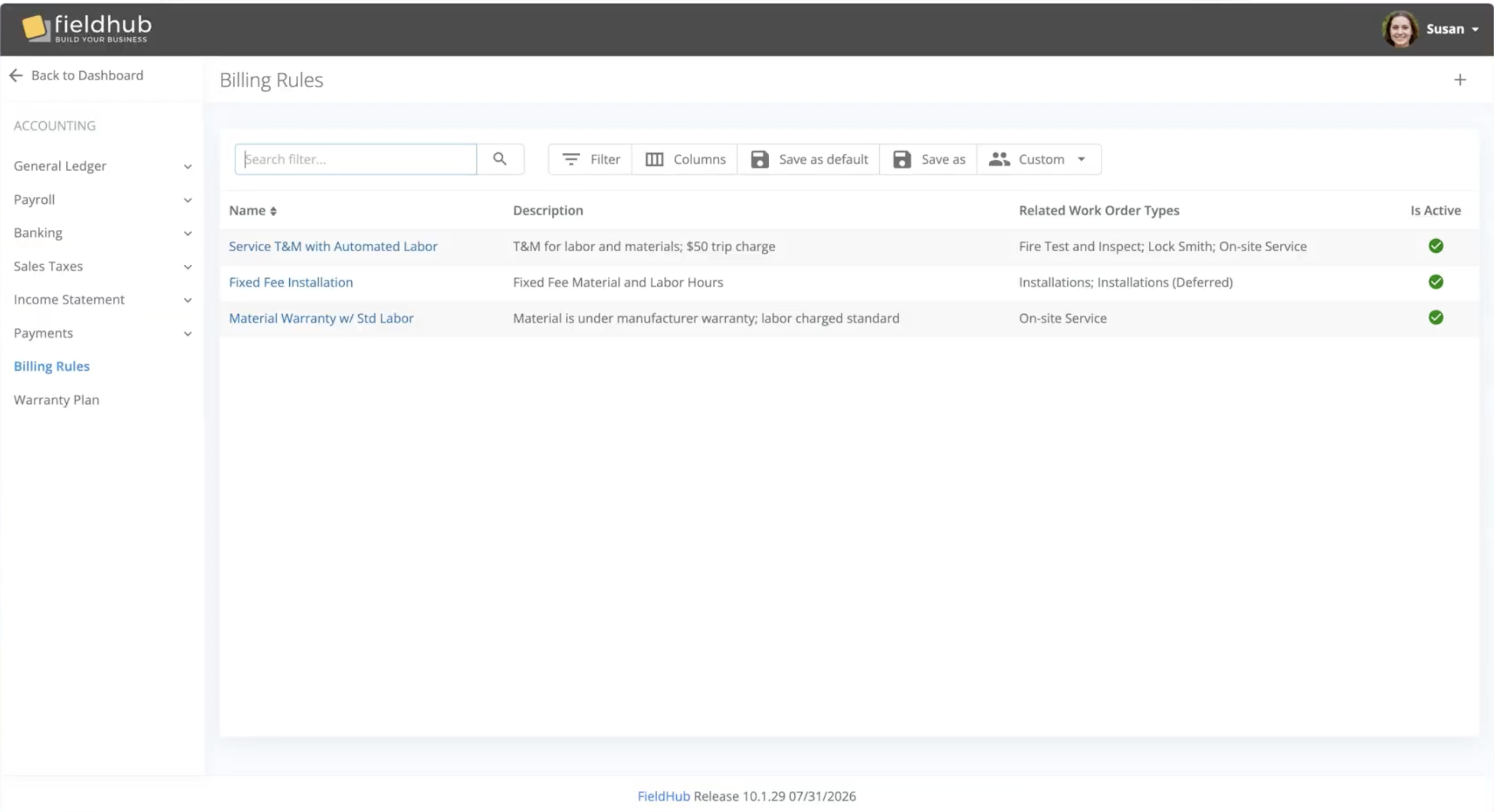
FieldHub has introduced Billing Rules, a new configuration engine that automates how labor, materials, and miscellaneous charges are priced and added to work order scope. Instead of a technician’s hours sitting as a gap to be filled in manually after every visit, Billing Rules writes the correct line — at the correct rate — into the work order the moment a work log is ready for invoicing.
Most platforms handle service pricing with static price books or a “service level” tag sitting off to the side of operations—a label that must still be manually translated into scope, line by line, by someone in the office.
Billing Rules works differently because it is wired directly into the core of your operations. By integrating seamlessly with your schedule, field technicians’ time tracking, invoicing, and profiles for customers, sites, and systems, Billing Rules does not just define a price. It automatically applies it in context so customer invoicing is seamless and consistent.
Automatic Labor Scoping — When a technician’s work log is approved, Billing Rules adds the labor line to the work order scope automatically, at the correct rate, with no manual entry required. Manual scoping is still available wherever you want it.
Standard and After-Hours Rates — Each rule defines a standard and an after-hours labor rate. FieldHub determines which applies by checking the scheduled appointment time when one exists, so a technician running long on a standard-hours job doesn’t trigger after-hours pricing. If there’s no appointment, FieldHub falls back to the technician’s clock-in time against your configured business hours calendar.
Billing Controls That Match Your SOPs — Three settings let you fine-tune how labor time converts to billable scope: start billing after (exclude an initial window of minutes, e.g. when a trip charge already covers the first hour), minimum billable time (a billing floor regardless of actual time on site), and increment (rounding to your standard interval).
Materials Billability — Set materials to bill at their default price, or default them to $0 for accounts where materials are covered under a service plan — overridable line by line.
Default Scope Items — Trip charges, eco fees, or any other recurring miscellaneous line can be set to populate automatically on every work order tied to the rule.
Granular Rule Assignment — Apply a billing rule manually on a work order, or set defaults at the account, site, system, or industry level. When more than one default applies, FieldHub uses the most specific — system beats site beats account.
Billing Rules isn’t really a billing feature. It’s a feature that happens to touch four different parts of the business in the same instant: the customer hierarchy (which account, site, and system this work order belongs to), the schedule (what time was this appointment supposed to happen), the field technician’s approved time log, and the invoice that’s about to go out.
In a stack where CRM, scheduling, field service, and accounting are separate products stitched together with integrations, that’s four systems that all need to agree, in real time, before a price can be calculated correctly — and most of that data (scheduled appointment times, work log approvals, account-level service plan terms) either doesn’t sync at all between point solutions or syncs on a delay that makes “automatic, correct-the-first-time pricing” impractical. That’s the gap most integrators are used to closing by hand, every day, on every ticket.
Because FieldHub’s CRM, scheduling, field service, billing, and accounting all run on one data model, Billing Rules can reach across all of it instantly — checking the schedule, reading the approved work log, applying the right rule for that specific system, and writing a clean line to an invoice that’s already in the same general ledger. That’s the advantage of building the whole operation on one platform instead of integrating five.
FieldHub MCP server · Limited release · Version 10.2.15
You can now ask FieldHub questions in plain language and get answers computed from your live data.
Connect Claude to your FieldHub account through a standard OAuth sign-in. No API keys, no configuration. Then ask.
MCP — Model Context Protocol — is an open standard for connecting AI assistants to systems. We built and tested against Claude first, including claude.ai connectors, Claude Code, and Claude Desktop. ChatGPT connectors are verified, and any MCP-compatible client can connect.
FieldHub, the all-in-one cloud platform for security, fire, and low-voltage integrators, is pleased to announce a new integration with fireNspec, the inspection management platform built for fire and life safety companies. The integration links inspection work to the rest of the business, so a customer or site entered in one system no longer has to be entered again in the other.
Most integrators run inspections and the business itself on different tools. The account lives in one place, the inspection lives in another, and staff spend time keying the same details into both and checking two systems to answer one question.
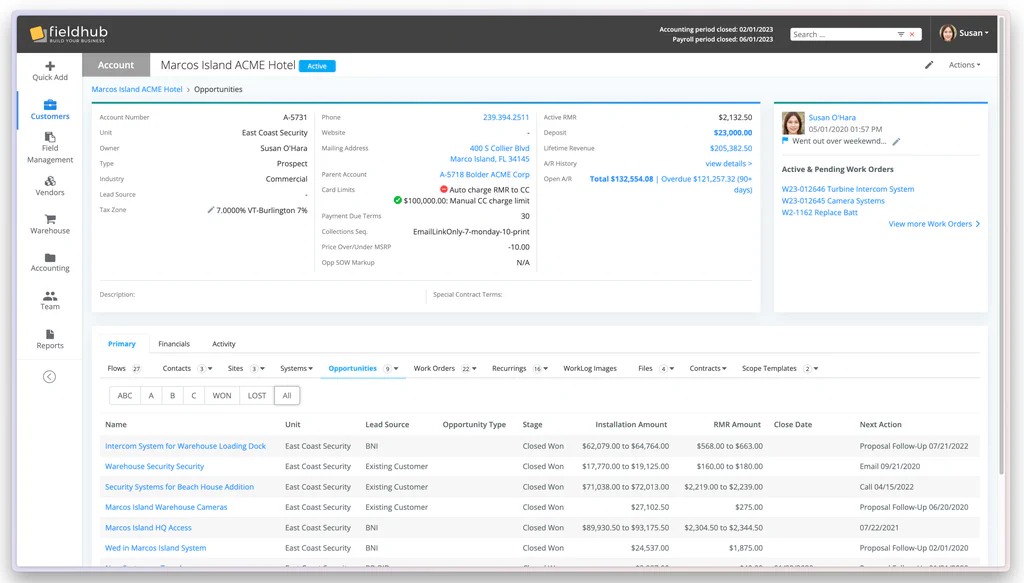
You’d never sign a 3-year lease on a building you’ve never walked through. Why do that with your software?
Most software companies want to close the deal. We want to make sure the deal should close.
A failed implementation costs everyone—your team loses time and trust, and we lose a customer who should never have been one. The pilot exists to prevent that. Before either side commits, we work together to confirm that FieldHub aligns with your needs, your expectations, and your operational reality. If the fit is right, the project is set up for success before it even begins. If it’s not, we’d rather you know now.